ECUControl w/ Windows 7 will not install in turboEDIT v3.1.1
9Tegra0
#1
◈ 2013-05-20
I tried searching and got nothing. Im using version 3.1.10 on windows 7 turboEDIT it self works fine but when i go to install ECUcontrol in the plugins it says" The module loaded but the call to DllRegisterServer failed with error code 0x80004005". Im lost, i had to register all the .ocx files for turboedit to work maybe im missing one for ECUcontrol any help would be great thanks.
fastcrxsi90
#2
◈ 2013-05-20
Re: ECUControl w/ Windows 7 will not install in turboEDIT v3.1.1
some things to try: 1. make sure you are logged in as an administrator. 2. right click TE and ecucontrol icons and select "Run as Administrator". 3. type cmd in the Start Search box above the Start Orb and when cmd.exe appears at the top of the Start Menu, right clicked on it and select "Run as Administrator". 4. right click the command prompt and select "Run as Administrator".
i dont have windows 7 so im probably not much help
9Tegra0
#3
◈ 2013-05-20
Re: ECUControl w/ Windows 7 will not install in turboEDIT v3.1.1
Thanx I did get it to install onto TurboEDIT though i had to register the ecucontrol.dll file and it looks like everything is working. but when i opened ECUControl5 seperatly it says "Run-Time Error '30005': Invalid Alignment Value" but it looks as if everything is working normally? Think that has anything to do with my problem?
clwtwizted
#4
◈ 2013-05-20
Re: ECUControl w/ Windows 7 will not install in turboEDIT v3.1.1
fastcrxsi90 wrote:
some things to try: 1. make sure you are logged in as an administrator. 2. right click TE and ecucontrol icons and select "Run as Administrator". 3. type cmd in the Start Search box above the Start Orb and when cmd.exe appears at the top of the Start Menu, right clicked on it and select "Run as Administrator". 4. right click the command prompt and select "Run as Administrator".
i dont have windows 7 so im probably not much help
Hey Ive got a little update for the 7 users
Right click on it goto properties and you will see this under compatibility select Windows xp (service pack 3) and check the box. and click apply and ok
pic for more help
9Tegra0
#5
◈ 2013-05-20
Re: ECUControl w/ Windows 7 will not install in turboEDIT v3.1.1
clwtwizted wrote:
fastcrxsi90 wrote:
some things to try: 1. make sure you are logged in as an administrator. 2. right click TE and ecucontrol icons and select "Run as Administrator". 3. type cmd in the Start Search box above the Start Orb and when cmd.exe appears at the top of the Start Menu, right clicked on it and select "Run as Administrator". 4. right click the command prompt and select "Run as Administrator".
i dont have windows 7 so im probably not much help
Hey Ive got a little update for the 7 users
Right click on it goto properties and you will see this under compatibility select Windows xp (service pack 3) and check the box. and click apply and ok
pic for more help
Thats seems to have solved my problem everything is working fine now thanx
greasemonky89
#6
◈ 2013-05-20
Re: ECUControl w/ Windows 7 will not install in turboEDIT v3
this worked for me as well
Ef8sirJunkie
#7
◈ 2013-05-20
Re: ECUControl w/ Windows 7 will not install in turboEDIT v3
i just got my new laptop and im having an issue with win 7 as well. tried everything above but still wont open. i deleted and reinstalled but still have this error. BRE is working fine and Crome is also having an issue?
fastcrxsi90
#8
◈ 2013-05-20
Re: ECUControl w/ Windows 7 will not install in turboEDIT v3
download the resource files and look for msinet.ocx. take that file and either put it in the system folder (usually c:\windows\system32, but may differ on win7 or 64 bit system...this may be the problem with the installer) or put it in the TE folder and register the file.
start>run... then type in regsvr32.exe "ocx path\msinet.ocx" (where ever you saved the file to). you will probably have to open the command prompt as the administrator...search google post back if you need better instructions for registering files on win7.
let us know if that fixed the issue or not...you may have to do it with multiple files, just look at the error message.
Ef8sirJunkie
#9
◈ 2013-05-20
Re: ECUControl w/ Windows 7 will not install in turboEDIT v3
no i didnt download it from there. i downloaded the file from here. al;so that link is down.
i tried putting that file in both the system folder and turbo edit folder and nothing. i might not have been doing the run part right. ill try it again.
Ef8sirJunkie
#10
◈ 2013-05-20
Re: ECUControl w/ Windows 7 will not install in turboEDIT v3
tried again tripple checked and keep getting an error. doesnt seem to work for me. starting to hate windows 7 already
fastcrxsi90
#11
◈ 2013-05-20
Re: ECUControl w/ Windows 7 will not install in turboEDIT v3
Ef8sirJunkie wrote:
no i didnt download it from there. i downloaded the file from here. al;so that link is down.
i tried putting that file in both the system folder and turbo edit folder and nothing. i might not have been doing the run part right. ill try it again.
just to make sure, did you manually register the file too?
may still need you to manually register stuff, i really need to just buy a new win7 laptop and get this stuff figured out. fyi, new software (win7 friendly) is on the way...just need to get datalogging finished at this point.
Ef8sirJunkie
#12
◈ 2013-05-20
Re: ECUControl w/ Windows 7 will not install in turboEDIT v3
hmm i downloaded that link and it didnt work. but i did discover the reason why.
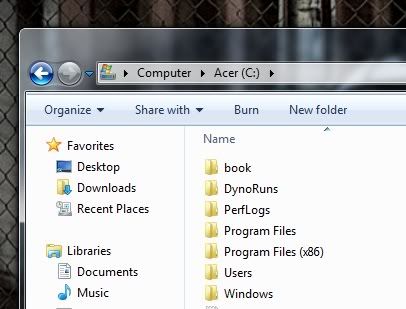
i kept looking at my computer and seeing that i had to program files. i installed under the 86 program file and it works great. anyone happen to know why it has to program file folders? also crome is under this folder and still not working??? guess i have multiple issues.
Ef8sirJunkie
#13
◈ 2013-05-20
Re: ECUControl w/ Windows 7 will not install in turboEDIT v3